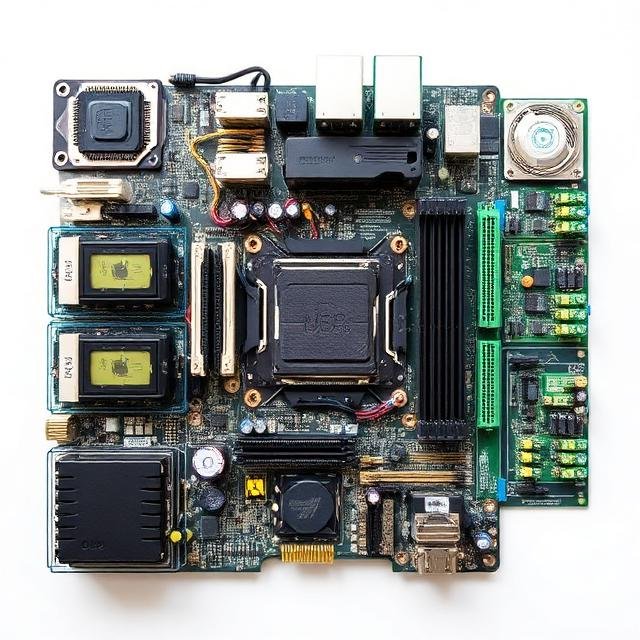
Computers are made up of several hardware components that work together to perform tasks. These parts allow a computer to process information, store data, and display results to the user. For beginners, computer hardware may seem complicated, but understanding the basic components is actually quite simple. In this guide, we’ll explain the main computer hardware parts in easy-to-understand terms.
What Is Computer Hardware?
Computer hardware refers to the physical parts of a computer that you can see and touch. Unlike software, which consists of programs and applications, hardware includes the internal and external devices that make the computer function.
Examples of hardware include the processor, memory, storage drives, keyboard, mouse, and monitor.
Central Processing Unit (CPU)
The Central Processing Unit, commonly called the CPU, is the brain of the computer. It processes instructions and performs calculations needed to run programs.
Whenever you open a program, browse the internet, or play a game, the CPU handles the instructions required for those actions.
A faster CPU usually means the computer can perform tasks more quickly and handle multiple processes at the same time.
Motherboard
The motherboard is the main circuit board inside the computer. It connects all the hardware components together so they can communicate with each other.
Every major component, such as the CPU, memory, and storage drives, is connected to the motherboard. Without it, the computer’s parts would not be able to work together.
You can think of the motherboard as the central hub that links everything inside the computer.
Random Access Memory (RAM)
RAM, or Random Access Memory, is the temporary memory that a computer uses while running programs.
When you open applications or files, the data is stored in RAM so the CPU can access it quickly. The more RAM a computer has, the more tasks it can handle smoothly.
However, RAM is temporary storage. When the computer is turned off, the data stored in RAM disappears.
Storage Devices
Storage devices are used to save data permanently. This includes your operating system, programs, documents, photos, and videos.
Two common types of storage devices include:
Hard Disk Drives (HDD):
These provide large storage capacity but operate at slower speeds.
Solid State Drives (SSD):
These are much faster than traditional hard drives and help computers boot up and load programs quickly.
Most modern computers use SSDs because of their speed and reliability.
Graphics Processing Unit (GPU)
The Graphics Processing Unit, or GPU, handles the visual output of the computer. It processes images, videos, and animations so they can be displayed on the monitor.
A GPU is especially important for gaming, video editing, graphic design, and 3D rendering. Some computers have dedicated graphics cards for higher performance, while others rely on integrated graphics built into the CPU.
Power Supply Unit (PSU)
The Power Supply Unit converts electricity from a wall outlet into the type of power that computer components need.
It distributes power to all parts of the system, including the motherboard, storage drives, and cooling fans. Without a power supply, the computer cannot function.
Input Devices
Input devices allow users to send information and commands to the computer.
Common input devices include:
- Keyboard – Used to type text and commands
- Mouse – Used to move the cursor and interact with items on the screen
- Microphone – Used to record sound
- Webcam – Used for video calls and recording video
These devices make it possible for users to communicate with the computer.
Output Devices
Output devices display the results of the computer’s work.
Examples include:
- Monitor – Displays images, videos, and programs
- Speakers – Produce sound and audio
- Printer – Creates physical copies of digital documents
Output devices help users see or hear the results of their actions.
Cooling System
Computers generate heat when they are running. The cooling system prevents hardware components from overheating.
Cooling systems usually include:
- Cooling fans
- Heat sinks
- Liquid cooling systems (in high-performance computers)
Proper cooling keeps the system stable and extends the lifespan of the hardware.
Final Thoughts
Understanding computer hardware doesn’t have to be difficult. Each component plays a specific role in helping the computer function effectively. The CPU processes instructions, RAM handles temporary data, storage saves files, and the motherboard connects everything together.
By learning the basics of computer hardware, you can better understand how computers work, troubleshoot simple problems, and make smarter decisions when buying or upgrading a computer.