If your computer feels slow, freezes during heavy tasks, or struggles to run modern software, upgrading your PC hardware can significantly improve its performance. Instead of buying a completely new computer, upgrading specific components is often a more affordable and effective solution. With the right upgrades, you can make your PC faster, more efficient, and better suited for your needs.
In this guide, we’ll explain the most important hardware upgrades that can boost your computer’s performance.
Why Upgrade Your PC Hardware?
Over time, software becomes more demanding, and older hardware may struggle to keep up. Upgrading your PC hardware can provide several benefits, including:
- Faster system performance
- Improved multitasking
- Better gaming and graphics capabilities
- Quicker file transfers and program loading
- Extended lifespan of your computer
Even a few simple upgrades can make a noticeable difference in how your PC performs.
Upgrade Your RAM for Better Multitasking
One of the easiest and most effective upgrades is increasing your RAM (Random Access Memory). RAM helps your computer handle multiple tasks at once, such as running several programs or browser tabs simultaneously.
If your computer has limited RAM, it may slow down when you open too many applications.
Typical recommendations include:
- 8 GB RAM: Basic tasks like browsing and office work
- 16 GB RAM: Smooth multitasking and general productivity
- 32 GB or more: Ideal for gaming, video editing, and professional work
Upgrading RAM is usually simple and relatively inexpensive.
Switch to a Solid State Drive (SSD)
Replacing an old Hard Disk Drive (HDD) with a Solid State Drive (SSD) is one of the best ways to speed up your computer.
SSDs are much faster than traditional hard drives and offer several advantages:
- Faster system startup times
- Quicker application loading
- Improved file transfer speeds
- Better overall system responsiveness
Many users notice a dramatic performance improvement immediately after upgrading to an SSD.
Upgrade Your Graphics Card (GPU)
If you use your computer for gaming, video editing, graphic design, or 3D rendering, upgrading the graphics card (GPU) can significantly improve performance.
A better GPU can provide:
- Higher frame rates in games
- Faster video rendering
- Improved performance in design software
- Better support for high-resolution displays
However, before upgrading your GPU, make sure your power supply and motherboard can support the new card.
Upgrade Your CPU for Faster Processing
The Central Processing Unit (CPU) is the brain of your computer. A faster or newer CPU can improve overall system performance, especially for demanding tasks.
Upgrading the CPU may help with:
- Faster program execution
- Improved multitasking
- Better performance in professional software
However, CPU upgrades can be more complex because they must be compatible with your motherboard.
Improve Cooling for Stable Performance
As you upgrade your hardware, your PC may generate more heat. Adding better cooling solutions can keep your system running efficiently.
Options include:
- Installing additional case fans
- Upgrading the CPU cooler
- Improving airflow inside the case
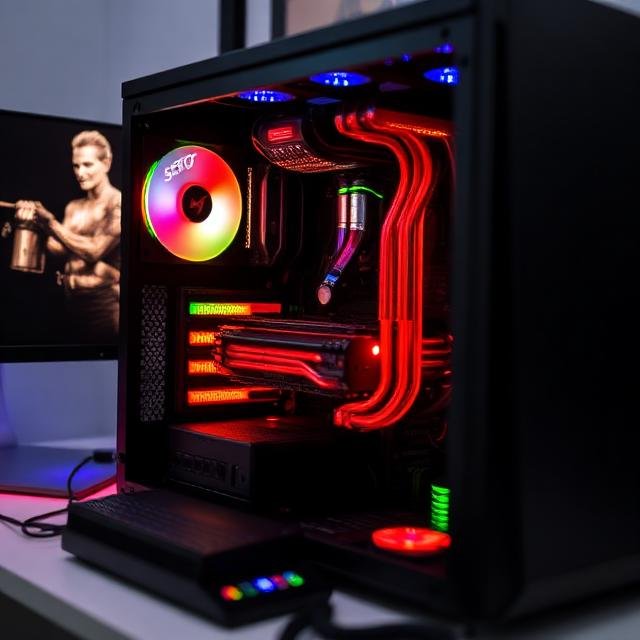
Good cooling prevents overheating and helps maintain stable performance during heavy workloads.
Upgrade the Power Supply if Needed
Some hardware upgrades, especially graphics cards, require more power. If your current Power Supply Unit (PSU) is too weak, it may not support the new components.
A reliable power supply ensures your system runs safely and efficiently.
Check Compatibility Before Upgrading
Before purchasing any hardware upgrade, it’s important to check compatibility with your existing system. Consider the following factors:
- Motherboard compatibility
- Available RAM slots
- Storage connections (SATA or NVMe)
- Power supply capacity
- Physical space inside the case
Taking the time to research compatibility can prevent installation problems.
Final Thoughts
Upgrading PC hardware is a practical way to improve your computer’s performance without replacing the entire system. Simple upgrades like adding more RAM or switching to an SSD can dramatically speed up your PC.
By carefully selecting compatible components and focusing on the upgrades that matter most for your needs, you can extend the life of your computer and enjoy a faster, smoother experience for years to come.